
Global Configuration in SCS: Reviewing the "Options" Menu for Rigorous Structural Analysis
In SCS - Steel Connection Studio, the Options menu acts as the global control panel governing calculation parameters and base geometric definitions. Incorrect parameterization in this menu can induce errors in stiffness assessment, limit state verification, or the graphical representation of construction details.
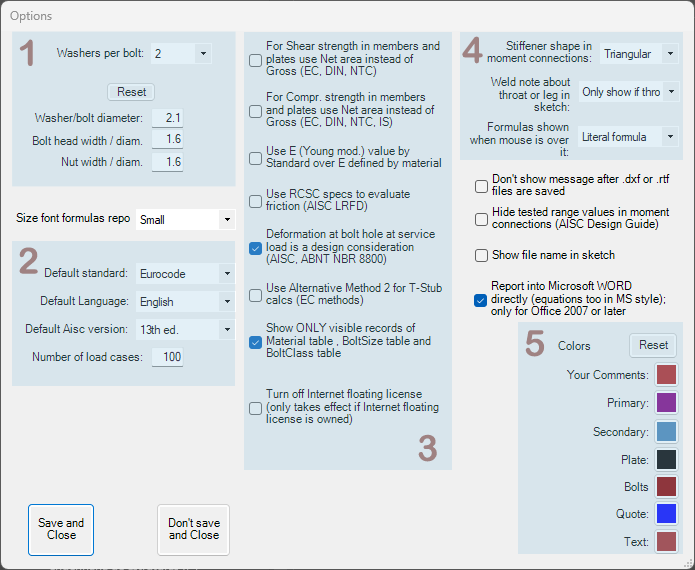
1) Bolt-Nut-Washer Assembly Geometry
- Washers per bolt: Defines the standard quantity of washers used in the bolt assembly.
- Dimensional Ratios: Allows calibration of the relationship between the shank diameter and the dimensions of the bolt head and nut.
- Technical Note: The precision of these values is vital for automatic clash detection and tightening clearances during connection detailing.
2) Standards and Default Language
- Defines the Reference Standard and language for new files.
Important: Changing these fields does not update a connection currently in progress. To change the standard of an active connection (e.g., switching from Eurocode to AISC), use the General tab within the calculation form itself.
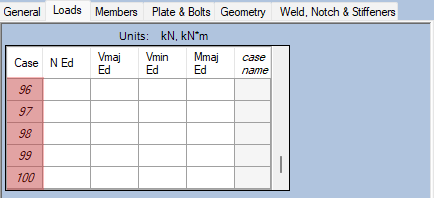
The Number of load cases field defines the capacity of the load combination matrix.
- Data Management: The software allows up to 499 combinations. Increasing this value facilitates the import of complex envelopes from ETABS.
- Integrity Alert: Reducing this number in an existing file will truncate the matrix, permanently eliminating combinations that exceed the new limit.

3) Failure Criteria: Effective Area vs. Gross Area
For limit state-based standards (EC, DIN, NTC), the engineer must define the resistance criterion:
- Shear Resistance: The option "Use Net area instead of Gross" imposes the use of the net section (Anet) for shear checks on profiles and plates, penalizing resistance in bolted zones.
- Compression Resistance: Similarly, it allows for checking buckling or local crushing/bearing while considering the reduction of the section due to holes.
- Recommendation: In the case of EC3, always validate with the National Annex of EN 1993-1-8, as the use of effective area is the most conservative and safe approach.
Elastic Stiffness of Material (E)
The option "Use E value by Standard over E defined by material" controls the Modulus of Elasticity value to be adopted in the analysis.
- Enabled (Recommended): SCS enforces the normative value (E = 210000 MPa for Eurocode or 29000 ksi for AISC). This ensures consistency in connection stiffness calculations, regardless of variations in technical data from specific manufacturers entered into the database.
Normative Specifics (AISC)
For projects according to American standards:
- Friction (RCSC): Activates specifications from the Research Council on Structural Connections for the evaluation of slip-critical connections (pretensioned).
- Deformation at the Bolt Hole: Considers hole ovalization under service loads as a governing serviceability limit state.
Use Alternative Method 2 for T-Stub calcs
- Within the scope of Eurocode 3 (EN 1993-1-8), the calculation of tensile resistance of components (such as flanges or end plates) uses the "Equivalent T-Stub Method".
Strength Class Filtering
The option "Show ONLY visible records..." activates an essential filter for project quality management.
- Error Control: When enabled, the software hides bolt classes or materials marked as "not visible" in the database from selection lists. This prevents, for example, the accidental specification of ASTM A490 bolts in a project designed with Class 10.9 bolts (EN ISO 898-1).
Floating Licensing
The option "Turn off Internet floating license" allows for checking out the license to the local machine.
- Application: Fundamental for ensuring software access in environments without connectivity, temporarily locking the license to the user's hardware.
4) Construction Detailing and Documentation
- Stiffeners: Defines the geometry of web stiffeners in moment-resisting connections (e.g., Triangular vs. Rectangular).
- Weld Annotation: Configures whether the dimension shown in the technical drawing refers to the Throat Thickness or the Leg Length. This distinction is crucial to avoid interpretation errors on-site.
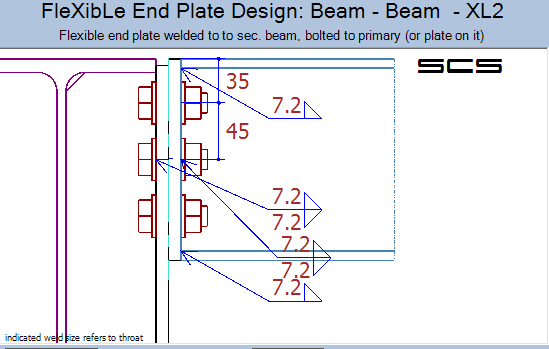
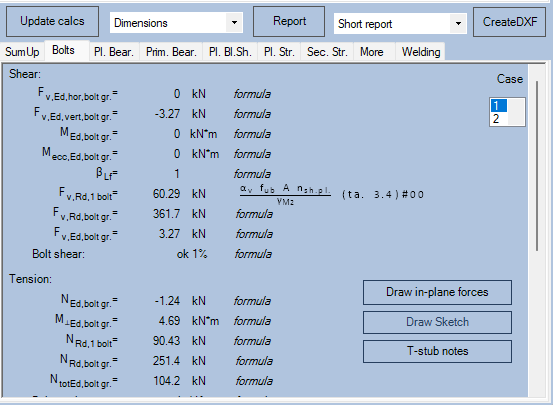
- Real-time Formula Visualization: When enabled, allows the engineer to hover the mouse cursor over result values in the main interface to see a "tooltip" label appear with the exact mathematical formula used in that calculation.

5) Color Customization
The Colors panel allows adjustment of the 3D and 2D model color code, facilitating visual distinction between components:
- Structural Hierarchy: Definition of distinct colors for Primary and Secondary elements. This is vital in complex nodes to quickly distinguish the supporting element (e.g., Column) from the supported element (e.g., Beam).
- Connection Components: Customization of the color for Plates and Bolts, creating sufficient contrast to visually detect clashes or modeling errors.